How to Choose the Best Power Bank Cabinet in 2026?
Choosing a Power Bank Cabinet in 2026 means looking beyond its size or the number of charging slots. A cabinet can appear impressive in a product photo, yet perform poorly when customers need quick, dependable access. The right choice depends on where it will stand, how often it will be used, and which devices it must support. Small details matter.
Start by estimating daily demand. A busy café, transport hub, or campus may need more capacity than a small hotel lobby. Check the battery capacity, charging speed, connector types, and replacement process. Then compare those specifications with the phones and other devices your users carry. Capacity figures can be confusing. Confirm what they mean in real use, and ask suppliers how they test performance. Not just capacity.
Safety and serviceability deserve equal attention. Look for clear instructions, reliable temperature controls, sturdy enclosures, and a practical way to inspect or replace batteries. Ask about warranty coverage, software updates, and technical support before buying. If the cabinet uses an app or payment system, test the customer journey on an ordinary phone. A smooth demonstration is useful, but it does not answer every question.
It is tempting to choose the cheapest unit or the one with the most ports. That may not be the best value over time. Consider installation, maintenance, downtime, and how easily the cabinet fits your space. A careful comparison can prevent avoidable surprises. Still, no checklist replaces checking the actual product and its documentation. The best Power Bank Cabinet is the one that matches real usage, not just a headline specification.
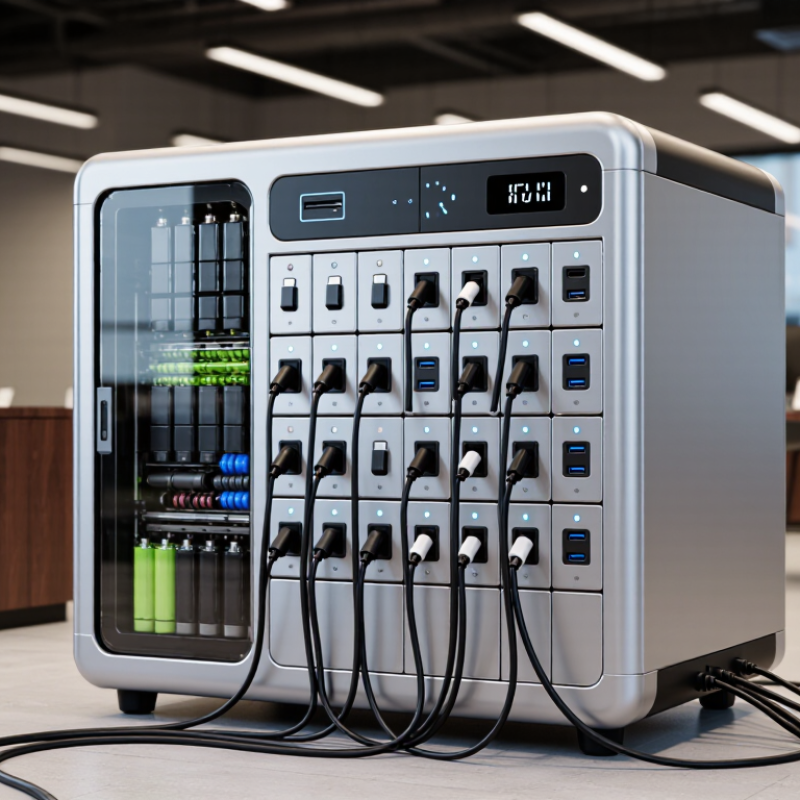
Define User Demand, Rental Volume, and Required Power-Bank Inventory
How to Choose the Best Power Bank Cabinet in 2026?
Define User Demand, Rental Volume, and Required Power-Bank Inventory
Start with real use. Estimate how many people may need a charge during the busiest hour, not just across an average day. A station near a café entrance may see short lunchtime spikes, while one beside a transit hub can stay busy from morning to evening. Count nearby foot traffic, typical visit length, and whether customers often arrive with low batteries. Small details matter.
Next, separate daily rentals from peak demand. If a location records 80 rentals per day, that does not mean it needs only 80 power banks. Some units may still be out when new customers arrive, and others may be charging or unavailable. Track rental times for several weeks if possible. Then estimate how many banks must be ready at once, allowing a modest reserve for delays or unusually busy days. The estimate will not be perfect.
Choose cabinet capacity around that working inventory, with enough charging slots to replenish returned banks efficiently. For example, a compact shop with steady turnover may need fewer slots than a venue with sharp event-day surges. Avoid buying far more capacity than observed demand supports; unused slots add cost without improving service. Review usage after installation and adjust the inventory when actual rental patterns differ from your forecast.
Verify Battery Safety with IEC 62133-2 and UN 38.3 Testing
When comparing power bank cabinets in 2026, treat battery test records as essential evidence, not a box-ticking exercise. IEC 62133-2 covers safety requirements for portable sealed lithium battery cells and batteries under intended use. Ask for documentation that matches the exact battery model and configuration installed in the cabinet. A report for a similar-looking pack may not apply.
UN 38.3 addresses transport testing for lithium batteries, including checks such as vibration, shock, and temperature cycling. That distinction matters. Passing transport tests does not, by itself, prove a complete cabinet is safe during daily charging or operation. Request the relevant test reports or summary, and check that product identifiers match the installed units. Then inspect the cabinet’s charging controls, wiring, ventilation, and temperature monitoring. These details matter in a warm, crowded room.
Paperwork can look convincing. Verify it. If a supplier cannot explain which battery was tested, or how the cabinet manages heat and charging, pause before buying. I would also record document versions and ask who handles replacement batteries. It is easy to overlook that last point. Good evidence should be specific, traceable, and consistent with the actual equipment delivered.
Match USB-C Charging to USB PD 3.1, Rated Up to 240 W
How to Choose the Best Power Bank Cabinet in 2026?
A power bank cabinet should match the devices people actually charge. For high-demand laptops, USB-C Power Delivery 3.1 can support up to 240 W through Extended Power Range. That figure is a maximum, not a promise for every charging session. The device, cabinet port, and USB-C cable must all support the required power level. Check the cabinet’s technical specifications, including whether its output is shared across occupied ports. A 240 W rating may apply to one port, while several connected devices receive less. I would not choose by the biggest number alone; real-world power distribution matters more.
Tips: Confirm that cables are rated for the intended power, and check how the cabinet handles heat during busy periods. Look for clear port labels and readable charging status. Small details help users avoid plugging a high-power device into a lower-output port.
Consider the full charging routine, not just peak wattage. A cabinet in a shared workspace may serve phones, tablets, and laptops at the same time. Review its capacity, charging time, ventilation, and battery replacement process. Ask how output changes when multiple power banks are charging together. Manufacturer specifications are useful, but actual performance can vary with temperature and device demand. A modest setup may be enough; it depends on who uses it.
Compare Cabinet Capacity, Connectivity, and Remote Fleet Management
How to Choose the Best Power Bank Cabinet in 2026?
Compare Cabinet Capacity, Connectivity, and Remote Fleet Management
Choosing a power bank cabinet starts with real demand, not the largest slot count. Estimate busy-hour checkouts, average loan duration, and the battery sizes people actually use. Then allow spare capacity for peak periods and maintenance. A cabinet packed to its limit may leave users waiting while depleted units recharge. Check the charging rate, ventilation, and whether each slot reports its own status. Small details matter.
Tips: Count daily loans for a week. Check peak-hour demand. Ask what happens when Wi-Fi drops. Cellular connectivity can help at remote sites, but signal strength varies. Confirm that the system stores activity offline and syncs it later.
Remote fleet tools should show available, charging, and overdue units across locations. Look for useful alerts, clear usage reports, and access controls for staff roles. Remote troubleshooting can reduce unnecessary site visits, though it cannot fix every hardware fault. Before committing, test a cabinet at one busy location. Compare its dashboard data with a manual count; they may not match perfectly. That gap is worth investigating. A pilot also reveals practical issues, such as a cabinet placed too far from the queue or a screen obscured by bright daylight.
How to Choose the Best Power Bank Cabinet in 2026?
Compare cabinet capacity, connectivity, and remote fleet management.
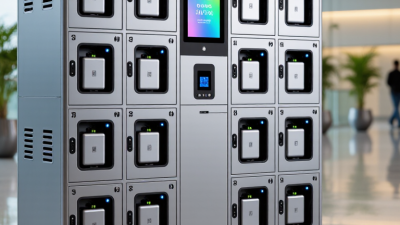
Larger cabinets provide more charging bays, while Wi-Fi, Ethernet, and cellular connectivity can support different deployment needs. Remote management functions may include live status, usage reporting, remote configuration or updates, and fault alerts. The profiles shown are illustrative examples, not market averages; verify each product’s specifications before purchasing.
Evaluate Total Cost, Service Access, and Replacement-Part Availability
When comparing power bank cabinets, calculate total cost over several years, not just the purchase price. Include electricity, service labor, software fees, battery replacements, and downtime. BloombergNEF’s 2024 Battery Price Survey reported an average lithium-ion pack price of $115 per kilowatt-hour, down 20% from 2023. That is a useful market signal, not a quote for cabinet parts. Still, this is an imperfect comparison.
Check service access before installation. Can a technician reach the charging modules without moving a loaded cabinet? Is there room to open the door in a busy hallway? The International Energy Agency’s Global EV Outlook 2024 reported that battery pack prices fell 14% in 2023, but lower market prices do not guarantee local replacement stock. Ask for a written parts list, expected lead times, and confirmation that replacement batteries remain compatible with the cabinet’s hardware and software. Test the service process on one unit, if possible. Small details matter. A replacement part that ships in weeks can leave a cabinet unusable for weeks. I would also check who performs repairs and whether routine access requires specialized tools; vendors’ answers can sound clearer than real service conditions.
How to Choose the Best Power Bank Cabinet in 2026? — Evaluate Total Cost, Service Access, and Replacement-Part Availability
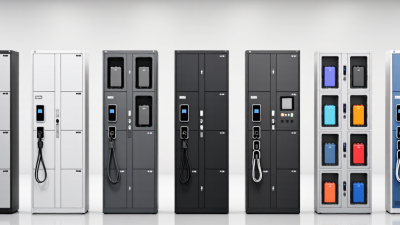
Compare cabinet configurations by capacity, serviceability, and estimated three-year ownership cost. Cost figures below are illustrative USD planning ranges, not supplier quotations; actual prices vary by region, specification, and installation requirements.



 WS Kate
 Weshare Power Bank